Yes, for euros: RedotPay can give you a EUR account with its own IBAN for SEPA transfers. For pounds you get an account number and sort code, for dollars an account number and SWIFT/BIC. These come from a separate personal funding account, not from the card: the card itself has no IBAN and no SWIFT code, so there’s nothing a bank could transfer to.
What you get, by currency
| Account | Details you receive | Transfers arrive by | Usually lands |
|---|---|---|---|
| EUR | Account name, IBAN, bank name | SEPA | Next business day |
| GBP | Account name, account number, sort code, bank name | Faster Payments (FPS) | Next business day |
| USD | Account name, account number, SWIFT/BIC, bank name | Shown in the app when you deposit | Same day to 5 business days |
Each currency is a separate account: to hold euros and dollars, you apply twice. The details stay in the app, under the account, and you should always copy them from there for the currency you’re receiving. A compliance review can add 1 to 7 business days.
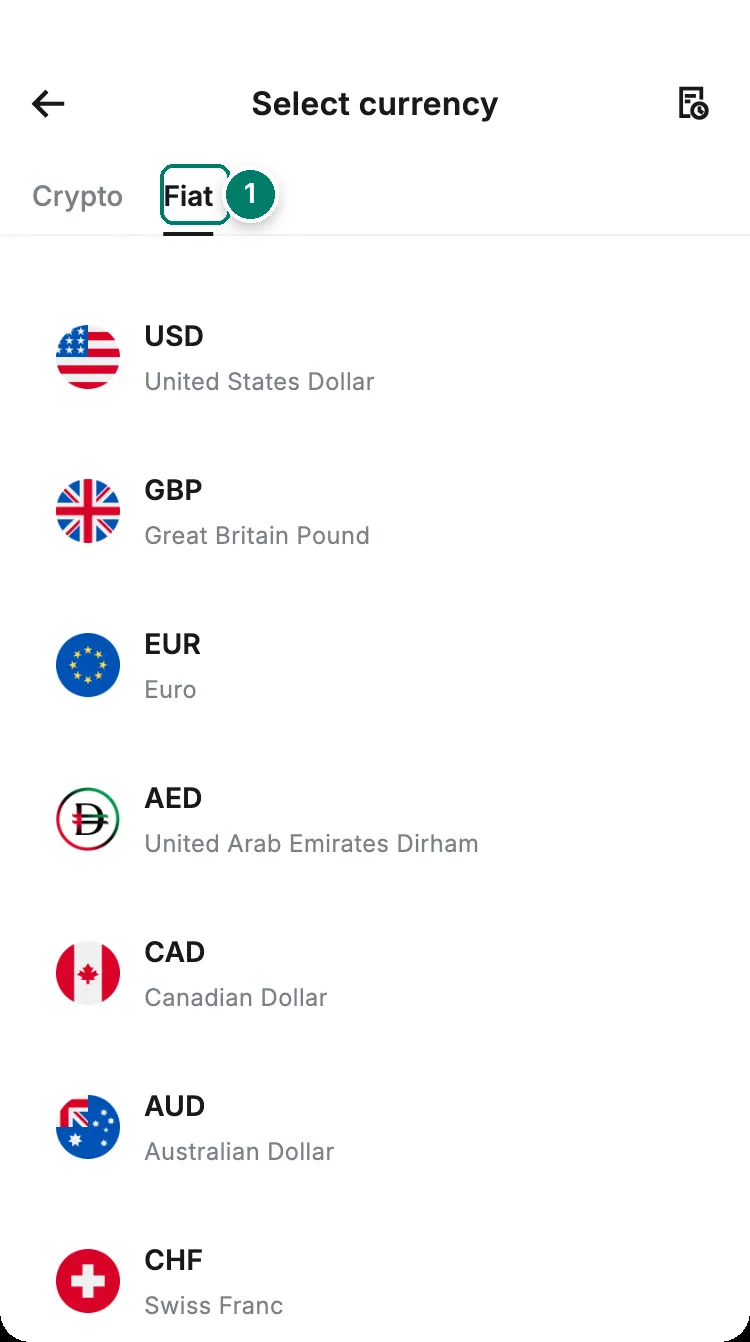
- Deposit → Fiat lists the currencies your account can receive. RedotPay documents account details for EUR, GBP and USD only; what the other currencies offer shows when you tap them.
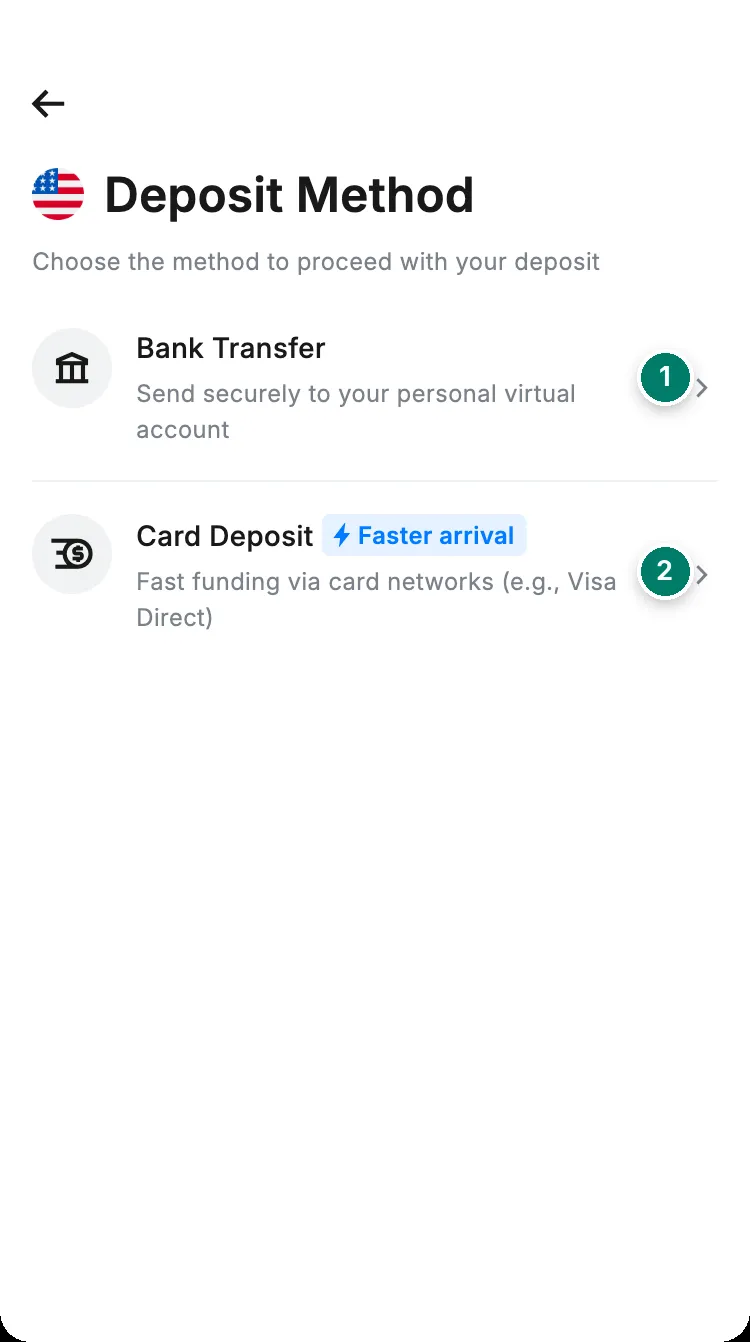
- Bank Transfer: the personal funding account. This is where you apply for one and, later, where your account details live.
- Card Deposit: pay in with a bank card instead; no account details involved.
Who can open one
- Your country decides. Open Deposit → Fiat in the app: if a currency offers Bank Transfer, you can apply. RedotPay says availability “depends on your country or region” and publishes no list. Our country guides note what we found; in France, for example, EUR is offered.
- A verified identity. Government ID plus the face check, as for the rest of the app. See verify your identity.
- A short risk questionnaire, up to 5 attempts, about your source of funds, intended use and occupation. RedotPay says regulations require it.
- Your details in English characters: first and last name, country, province or state, city, address and postal code. Incomplete details delay the application.
- RedotPay may ask for extra documents: proof of address or source of funds. It calls this routine.
How to open it
- 1Deposit → FiatPick EUR, GBP or USD
- 2Bank TransferStart the application
- 3Your detailsName and address in English characters
- 4QuestionnaireA few questions; up to 5 attempts
- 5Details issuedThe IBAN or account number appears under the account
Then make a transfer from a bank account in your own name to those details. The name must match your verified identity: a transfer from a company account or a friend’s account may fail and be returned, and the bank on the way can take a handling fee out of the returned money.
What it costs
| Fee | |
|---|---|
| Opening an account | Free if your RedotPay balance is at least 100 USD or equivalent. Otherwise 6 USD, 6 EUR or 6 GBP |
| Receiving a transfer | Free. RedotPay charges nothing on USD, EUR or GBP deposits |
| Yearly fee | Waived if at least 1,000 USD in total arrives in the first 11 months. RedotPay warns you in month 11 and doesn’t publish the amount |
| A deposit that has to be refunded | The bank or refund channel may take a handling fee; on a small deposit nothing may be left |
Every other fee the app can charge, from PayPal to international transfers, is on fees beyond the card.
What you can do with the balance
Once a deposit is in your EUR, GBP or USD balance you can swap it to USDT or USDC, spend it with your RedotPay card, send it abroad as an international transfer, or withdraw EUR and GBP to a bank account in the same currency. RedotPay’s article on withdrawals covers EUR and GBP only. Money from other people is the kind most often held for review, so keep the invoice or contract behind each payment.
What it isn’t
- Not a bank account. RedotPay isn’t a bank; the accounts and the funds sit with licensed partner institutions. RedotPay recommends turning on two-factor authentication and biometric login.
- Not attached to the card. RedotPay cards have no SWIFT code and no IBAN. Someone paying “to your card” by bank transfer has nothing to send to; give them the account details instead. The card also can’t send money through bKash, Wise, Revolut or similar services.
- No card included. A personal funding account doesn’t come with a card; you apply for one separately.
- No local currencies. There’s no account in dinars, dirhams, rupees or taka. To turn local cash into USDT, use P2P.
If your country isn’t offered
- Clients on PayPal can send to your RedotPay card: 3% fee, at least 1 USD, credited in USDT. See receive money from abroad.
- Clients who can pay in crypto: share your USDT address; it arrives in about a minute on TRC20 and RedotPay charges nothing. See deposit USDT.
- Local cash: buy USDT from another user on P2P.
Need a bank account at the other end, to pay yourself out? That’s the Send tab, covered in the guide to sending money to a bank abroad.
Closing the account
You don’t have to: RedotPay tidies up inactive accounts on its own. To close one yourself, tap the account → … → Close account. To get it back, you apply again. Think it through first: what to check before closing anything is on delete a card.