Almost every declined payment comes down to one of five things. Check them in this order.
1. Your balance doesn’t cover the price plus fees
Paying 100 USD with exactly 100 USD in your account can fail, because conversion and foreign-currency fees are added. Keep a small buffer above the price.
Also check which money the card takes first: Profile → Payment settings → Payment priority.
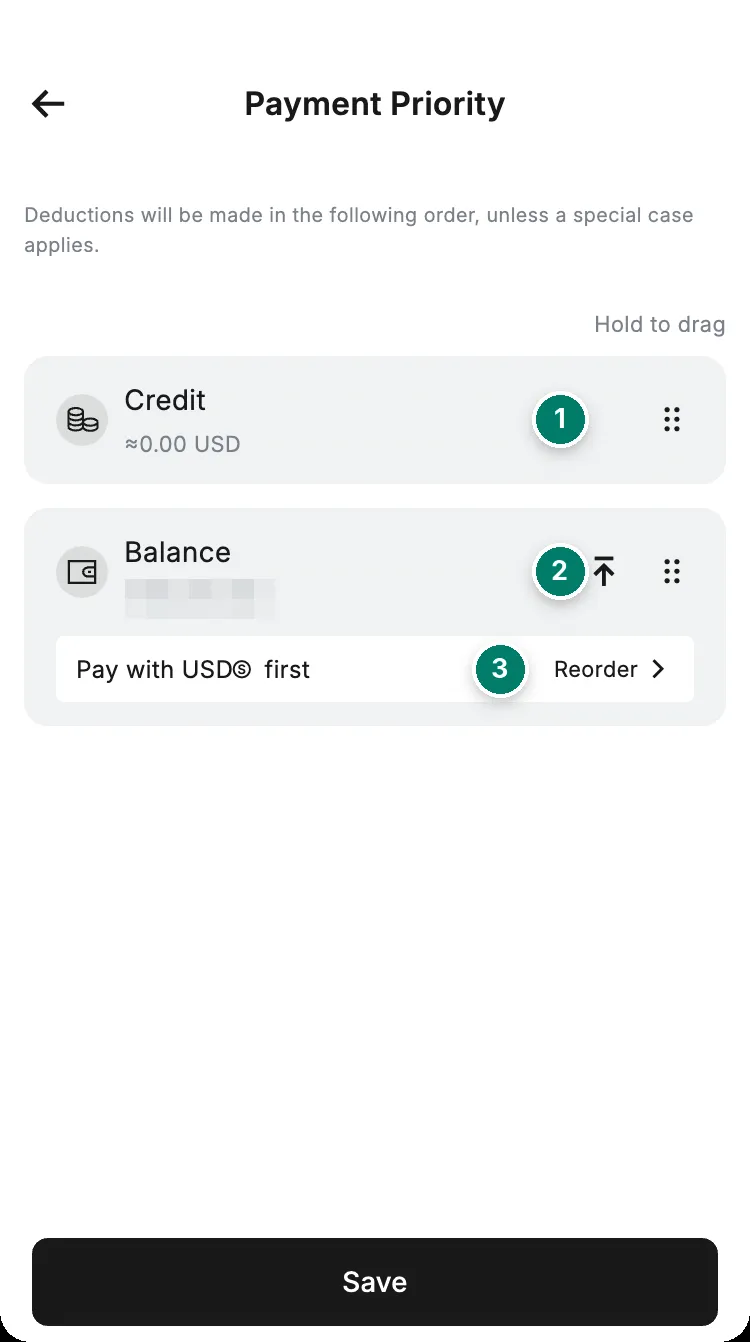
- Credit is used first, if you have a credit line.
- Move Balance to the top to pay from what you hold.
- Choose which coin in your balance pays first. Pick one that actually has money in it.
2. A card setting blocks this kind of payment
Each card has switches for online and in-store payments, and a list of currencies it may pay in. Find them under Card → Settings → Security settings.
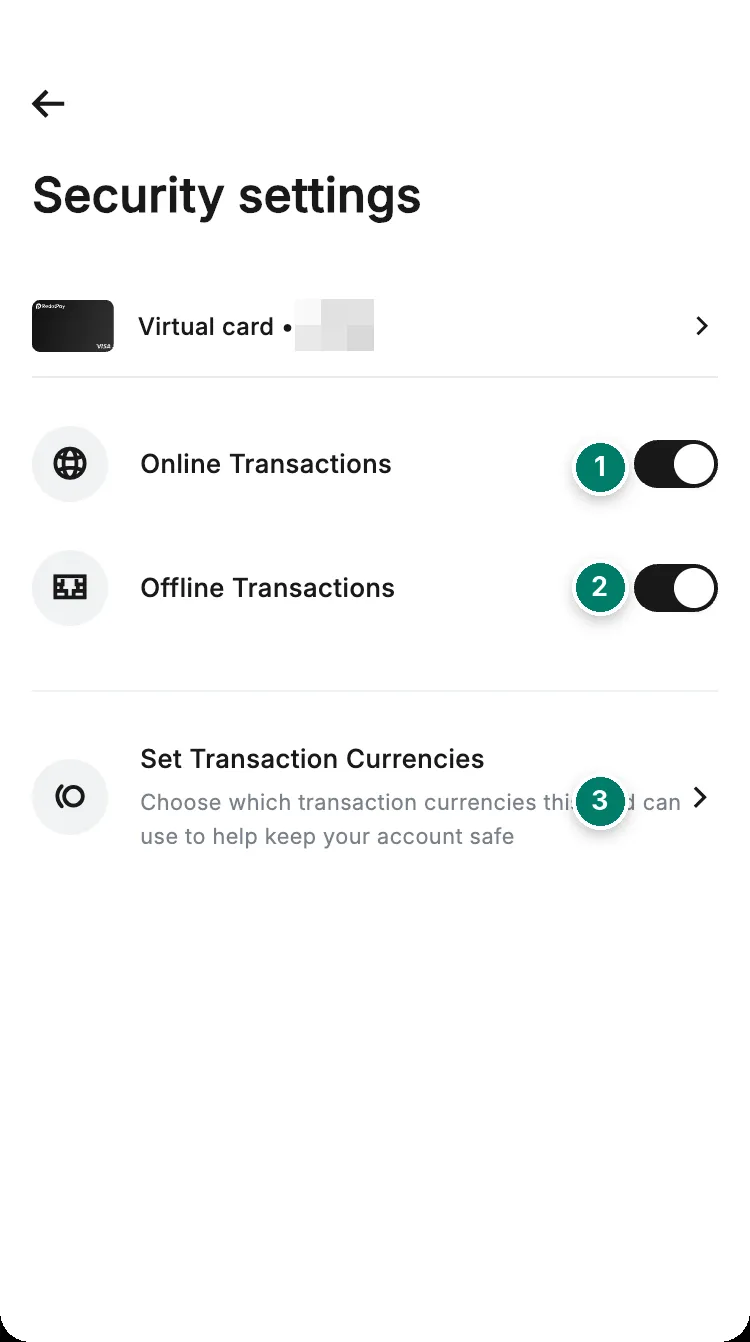
- Online Transactions: must be on to pay on websites and in apps.
- Offline Transactions: must be on to pay in shops.
- Set Transaction Currencies: the currency the shop charges in must be switched on.
3. The payment is above your card’s limit
Each card has its own per-payment and daily limit that you set yourself. Check Card → Limit. The daily limit resets at 00:00 UTC.
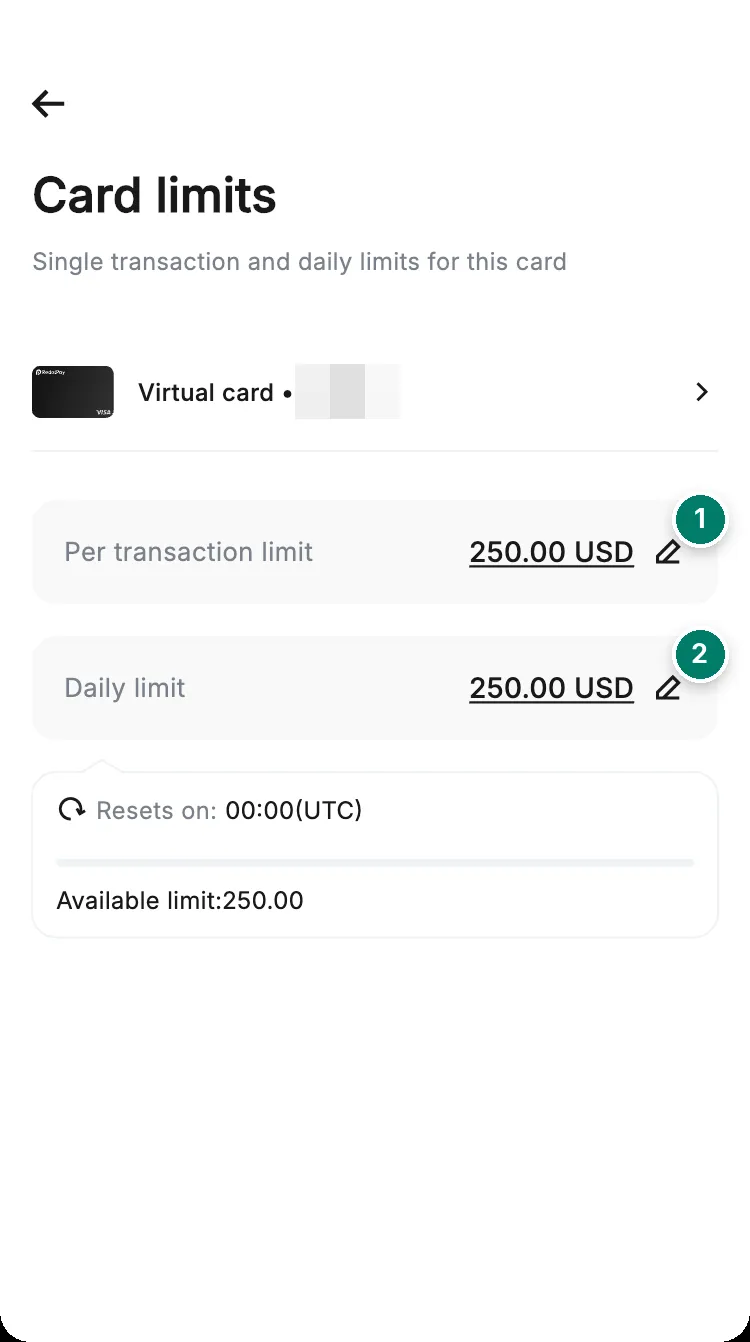
- Per-transaction limit.
- Daily limit.
4. Your card is frozen, deleted or expired
RedotPay freezes a card on its own if someone enters:
- the wrong CVV or expiry date 3 times within an hour. This lifts automatically after 24 hours;
- the wrong ATM PIN 3 times within 24 hours.
A card you froze yourself, deleted or reported lost is declined too. Check its status on the Card tab.
5. The merchant refuses the card
Some declines come from the merchant, not from RedotPay.
- No record in the app: the merchant stopped the payment before it reached RedotPay. Only the merchant can tell you why.
- Games and in-game credits: some platforms don’t accept this type of card.
- AliExpress and similar shops: their own fraud checks can block a first payment. Wait and retry, or contact their support.
- Card refused at checkout: add the card to Apple Pay or Google Pay and pay through the wallet. RedotPay suggests this itself.
- Billing address asked: use the address set on your card, under Card → Settings → Change billing address.
- 3D Secure code: the merchant adds this step. If it fails, ask the merchant.
To test, try a small payment at a different shop. If it works there, the problem is the first merchant.
In a shop: contactless
Hold the card flat, 2 to 3 cm over the contactless symbol, without moving it. Many countries cap contactless amounts. Above the cap, insert the card and enter your PIN.
What the status in your history means
| Status | What it means | What happens next |
|---|---|---|
| Authorized | The merchant has your request. The amount is held, not yet paid | Usually clears or is refunded within 1 to 4 days, and can take up to 30 |
| Declined | The payment didn’t go through. Nothing was charged | Any held amount is released. A decline fee may apply |
| Reversal | The payment was cancelled and the hold released | Shown as 0, usually within 1 to 5 days |
| Cleared | The payment is complete | Nothing to do |
Stop paying for retries you didn’t make
Services that keep your card on file, like streaming, cloud storage or AI tools, try again every billing cycle. If your card is frozen, deleted or empty, every attempt is a decline. Remove the card on the merchant’s own website, not only in RedotPay.
Still declined after all five checks? Contact support the right way.