You can’t use RedotPay until your identity is verified. The check itself takes about ten minutes and is usually approved within minutes. If RedotPay asks for extra documents, review takes 1 to 3 business days.
What you need
- An original ID: passport, national ID card or driver’s licence. Residence permits are generally not accepted. No photocopies or photos of a screen.
- At least 3 months left before the ID expires.
- A phone number that can receive a code by SMS, WhatsApp or Telegram, and that isn’t already linked to another RedotPay account.
- Your current home address.
Your phone number and your ID can be from different countries.
The three steps
Tap Verify on the home screen. The app shows what’s ahead.
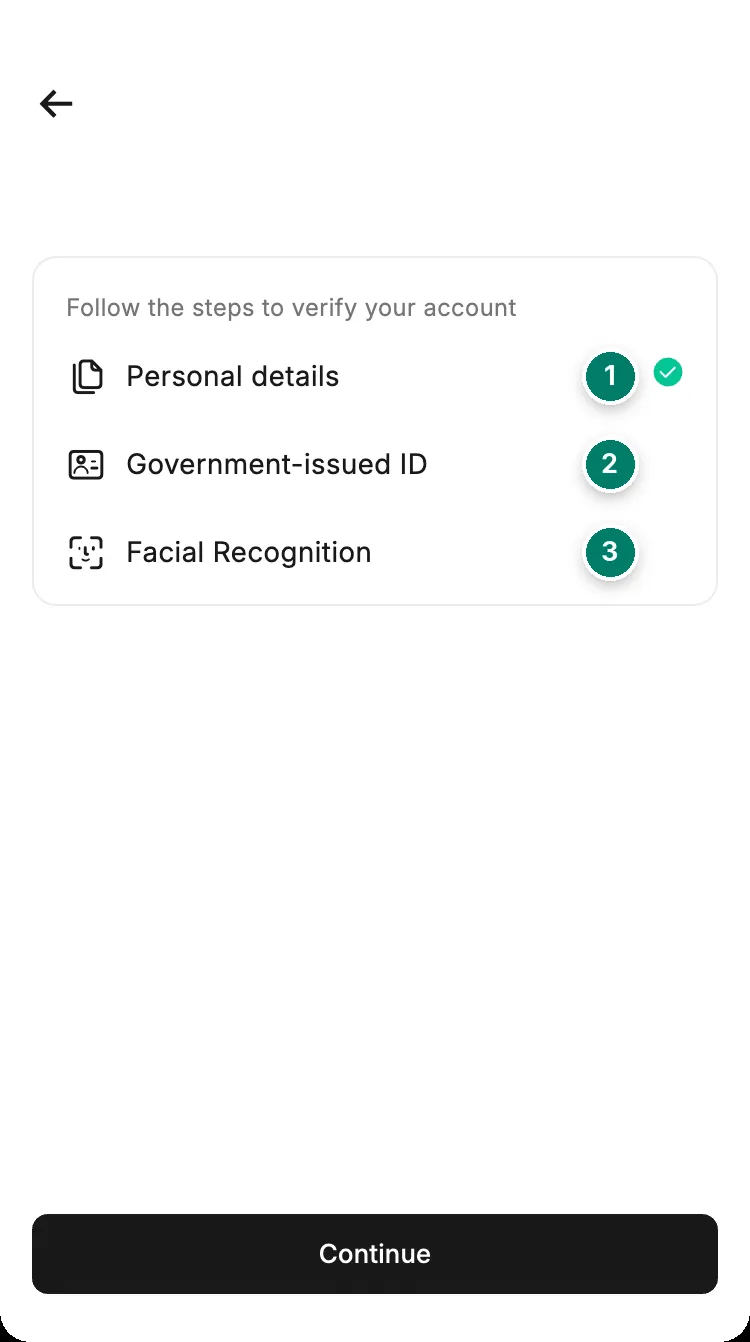
- Personal details: your name and date of birth exactly as on the ID. A middle name goes after your first name, in the First name field.
- Government-issued ID: pick the issuing country and type, then photograph it flat, all four corners visible, no glare. Add the back if it has information.
- Facial recognition: a live scan with your front camera. Good light, no glasses, hat or mask, and nobody else in the frame.
Link your phone number
Before the ID step, the app asks for a phone number.
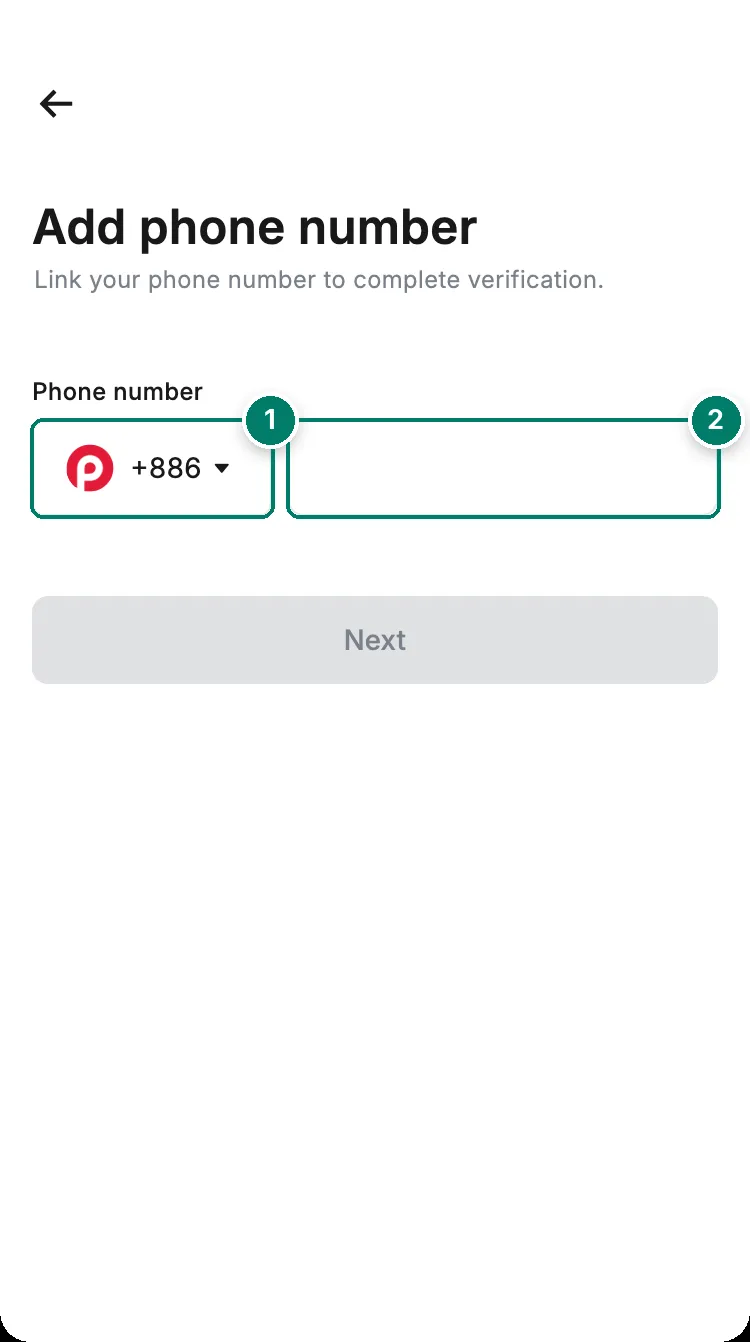
- Country code. It isn't set to your country by default, so check it.
- Your number, without the country code.
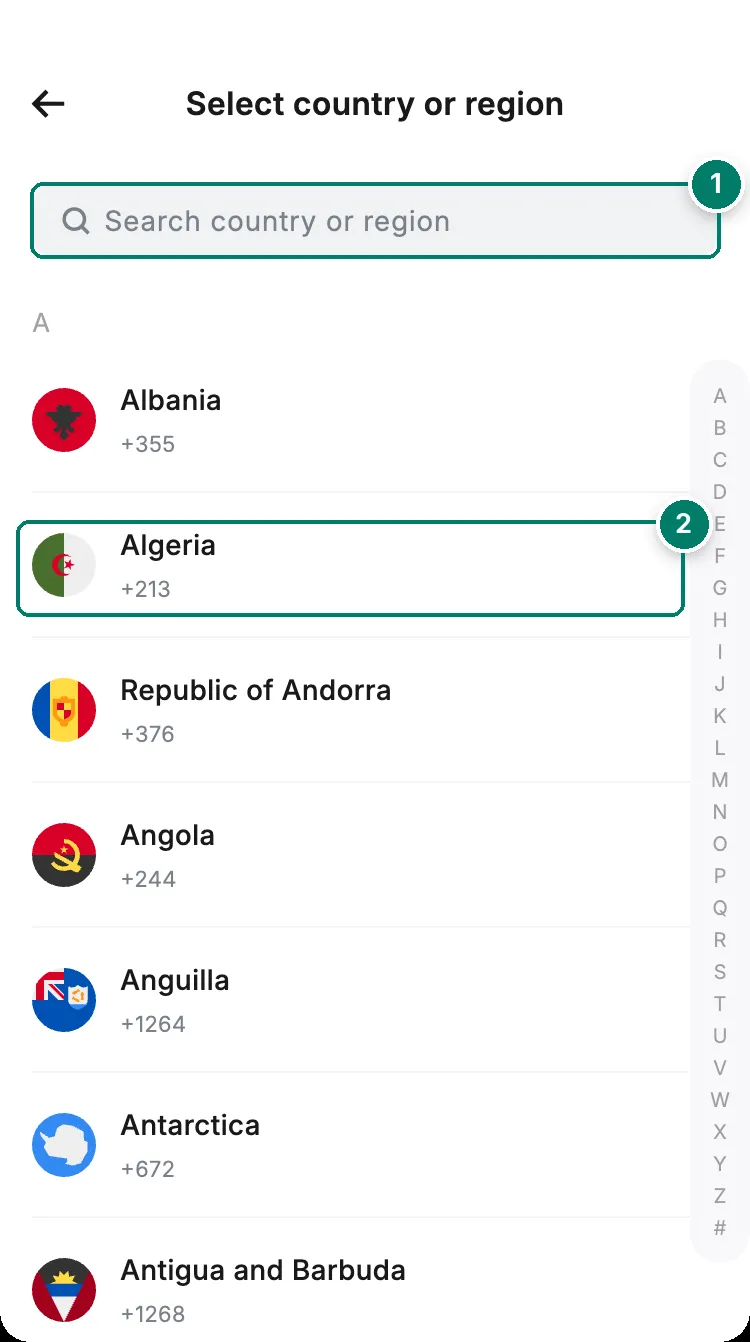
- Search by country name.
- Algeria is +213, Egypt +20, Morocco +212, Tunisia +216.
The code can arrive by SMS, WhatsApp, Telegram or, in some regions, a voice call. For WhatsApp or Telegram, the number on those apps must be the same as the one you enter here.
Confirm the details it read from your ID
After the face scan, the app reads your name, date of birth, nationality and ID number from the document. Check every field. You can’t edit this screen, and a correction afterwards is allowed only once every 180 days.
Address and questionnaire
- Enter your full current address. If your area has no postal code, type 000000.
- Answer the 4 or 5 questions about your job and where your money comes from. If nothing fits, choose Others and describe it in a few words.
Submit, and the review usually finishes within a few minutes.
If RedotPay asks for more documents
Sometimes the app asks for a personal statement, proof of source of funds or proof of source of wealth. The request arrives as an in-app notification.
- Upload everything requested at once, as JPG, PNG or PDF up to 10 MB.
- Do it within 14 days, or the verification fails.
- Review takes 1 to 3 business days.
Why verification fails, and what to do
| What you see | Usual reason | What to do |
|---|---|---|
| “Phone number already exists” | That number is linked to another RedotPay account, maybe an old one of yours | Log in to that account, or use another number |
| Rejected straight away | Under 18, or a nationality or residence RedotPay doesn’t serve | This can’t be fixed by resubmitting |
| Identity already used | The ID is already on another account | Use your existing account. Each person gets one |
| Details don’t match | A typo, or names in the wrong order | Re-enter everything exactly as printed on the ID |
| Document not accepted | Residence permit, expired ID, less than 3 months left, or a blurry photo | Use a passport or national ID with a clear, uncropped photo |
| Face scan fails | Poor light, glasses, or a photo held to the camera | Retry in good light. If it keeps failing, record your attempt and send it to support |
| “Applicant data issue” | The app couldn’t read your ID | Send a clear photo of the ID to support; they correct it and resubmit |
Still stuck? See how to get an answer from support.