A card payment moves from Authorized to Cleared, or to Reversal if it’s cancelled. While it’s Authorized, the amount you see is a hold, not the final charge. The final amount can differ from the shop’s price because of fees and exchange rates, and that’s normal.
- 1AuthorizedThe merchant asked for the money. It's held, not paid
- 2Cleared or ReversalPaid to the merchant, or cancelled and released, usually within 1 to 5 days
- 3Refunded, if the merchant sends money backCredited 2 to 15 days after RedotPay receives it
To see your history, tap … next to Transactions on the home screen.
The four statuses
| Status | What it means | How long it stays |
|---|---|---|
| Authorized | The merchant received your payment request. The amount is held, so it looks gone, but it hasn’t been posted yet | Usually 1 to 4 days, then Cleared or Refunded. Some merchants take up to 30 days |
| Cleared | The payment is complete and the money has gone to the merchant | Final. Only a refund from the merchant brings money back |
| Reversal | The payment didn’t go through and was voided. The hold is released and your balance is unchanged | Usually 1 to 5 days after Authorized. The line stays in your history for that day, with its amount shown as 0 |
| Declined | The payment was rejected. Nothing was deducted | Any temporary Authorized amount you see is a pre-authorisation hold and clears by itself. A decline fee may apply |
Partial reversals. If the merchant settles for less than it first authorised, the difference is reversed to you automatically. Full or partial, the held amount is only released once the merchant completes its final settlement.
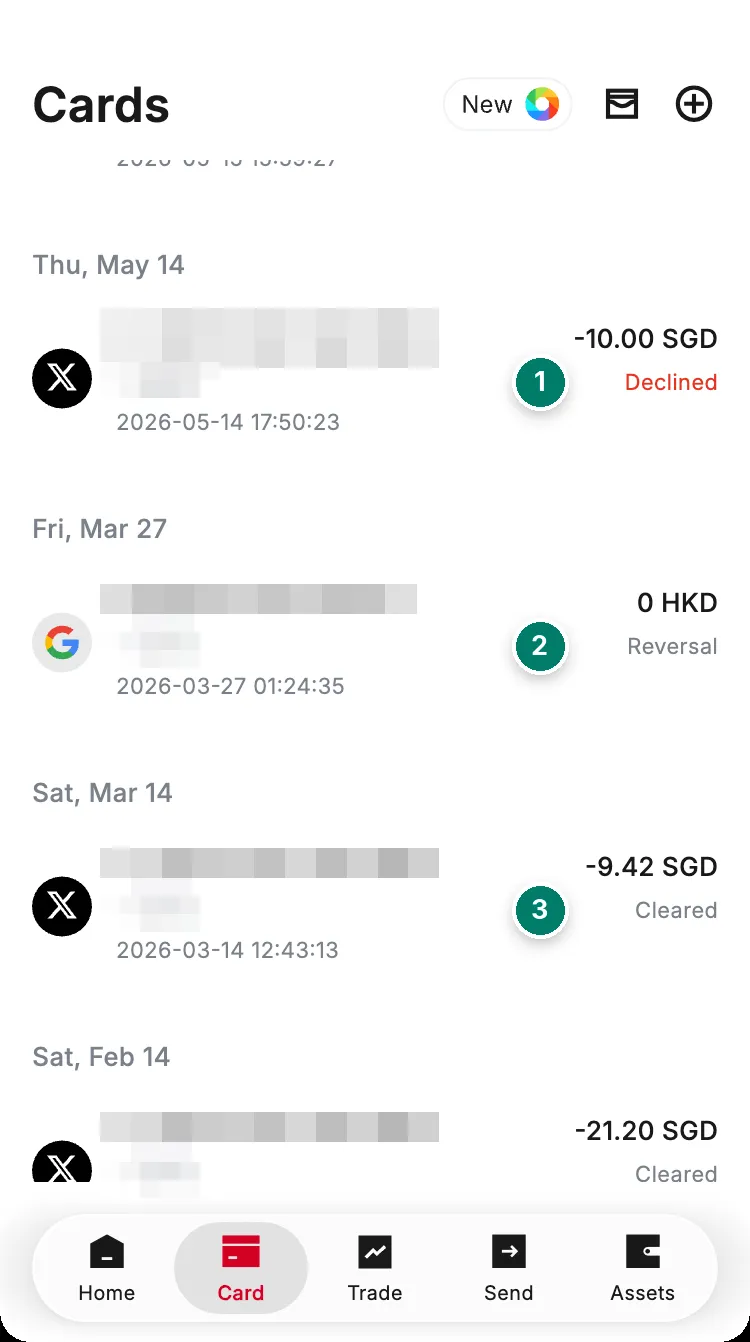
- Declined: nothing was taken from your balance.
- Reversal: the hold was released. The line stays, shown as 0.
- Cleared: paid to the merchant.
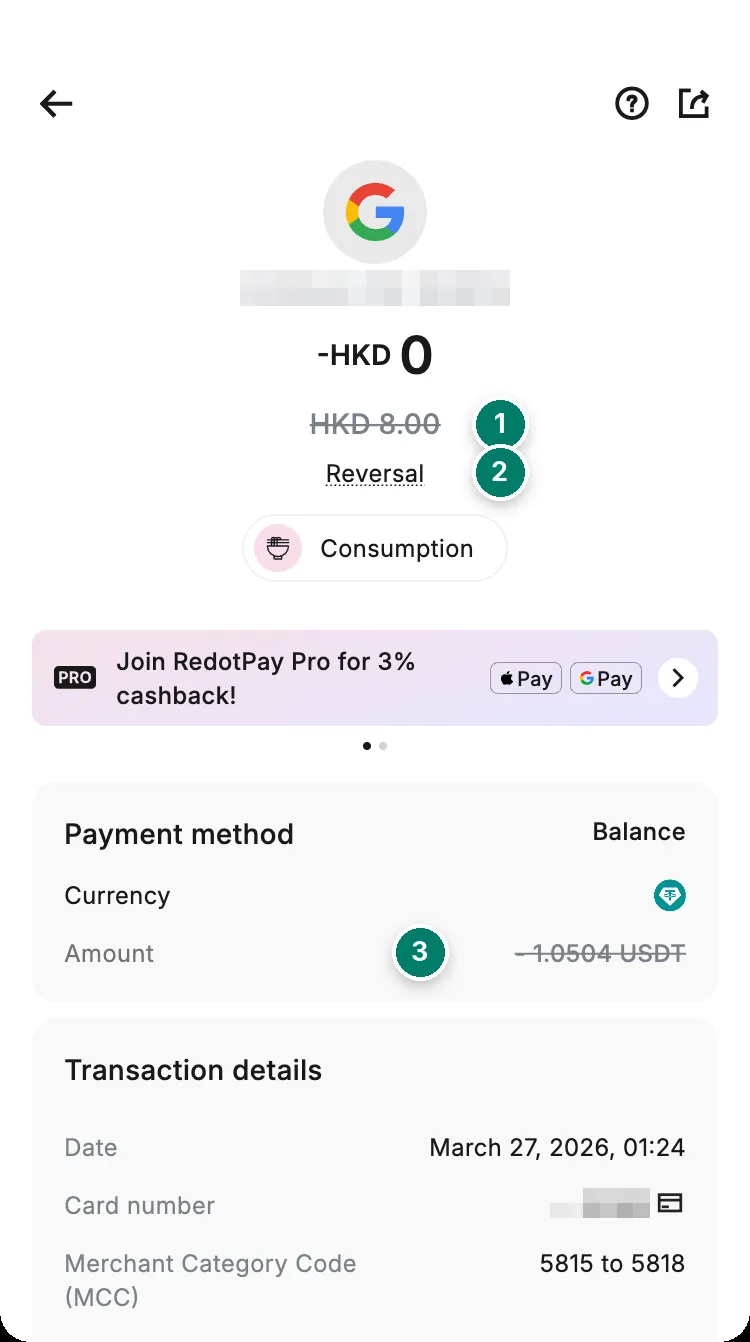
- The amount that was first authorised, struck through.
- Status: Reversal.
- The crypto that was held, also struck through: it is back in your balance.
Why the charge is higher than the price
Three different things can make the number in your history bigger than the price on the receipt.
1. The merchant holds more than the bill
Some merchants reserve more than the final amount, to cover extras:
- Hotels and car rentals: room service, fuel.
- Restaurants: an estimated tip.
- Fuel stations: enough to cover the final fill.
- Ticketing: possible price changes for flights or events.
The hold is adjusted to what you actually spent once the payment is finalised. If it’s still higher after that, ask the merchant whether it has processed a refund. If it has, RedotPay credits the money within 2 to 15 days of receiving it. If not, merchants typically release it automatically within 30 to 40 days.
2. Fees are added to the price
- 1.2% when the merchant charges in a currency other than your card’s currency.
- 1% when crypto in your balance is converted to pay.
- 1.5% at some merchants, such as Facebook Ads and a few games, after the first 3 payments a month.
So a purchase worth 100 USD charged in euros, paid from USDT with a USD card, costs about 2.20 USD in fees on top of the exchange rate. The full table and worked examples are on the fees and limits page.
3. The exchange rate moved before settlement
For a payment in a foreign currency, the amount at checkout is converted at the rate of that moment, and the final amount at the rate on the day it settles. If settlement comes out higher, the difference is charged to your account. If it comes out lower, the difference is refunded. This is also why a refund can be slightly different from what you paid: see refund not received.
How the crypto exchange rate is set
When you pay, the crypto in your balance is converted to USD at a weighted average of the rates on the top 5 global crypto exchanges, rather than the price on any single exchange. RedotPay doesn’t say which five, or how often the rate refreshes. The conversion itself costs 1%, whichever coin is used, USDT included. Which balance pays first is set under Profile → Payment settings → Payment priority.
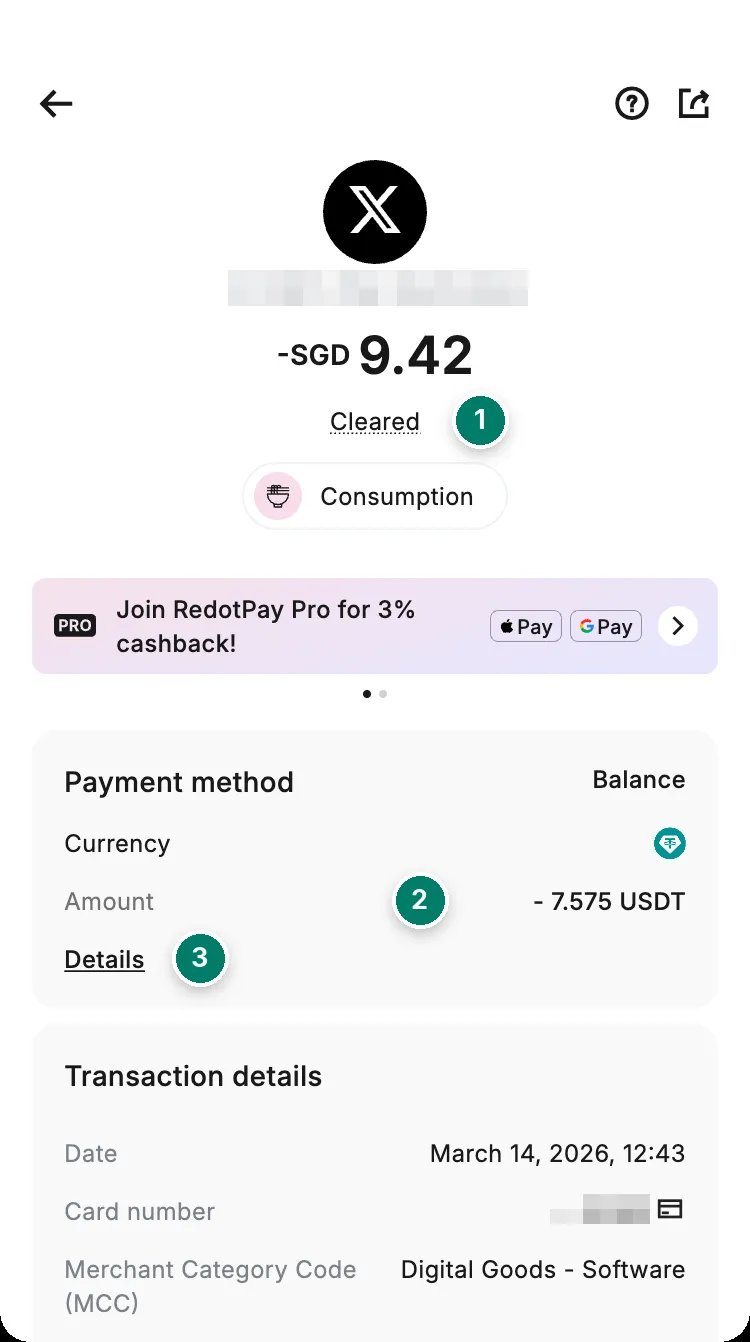
- Status: Cleared. This one is final.
- What left your balance, in USDT.
- Details shows the rate that was applied.
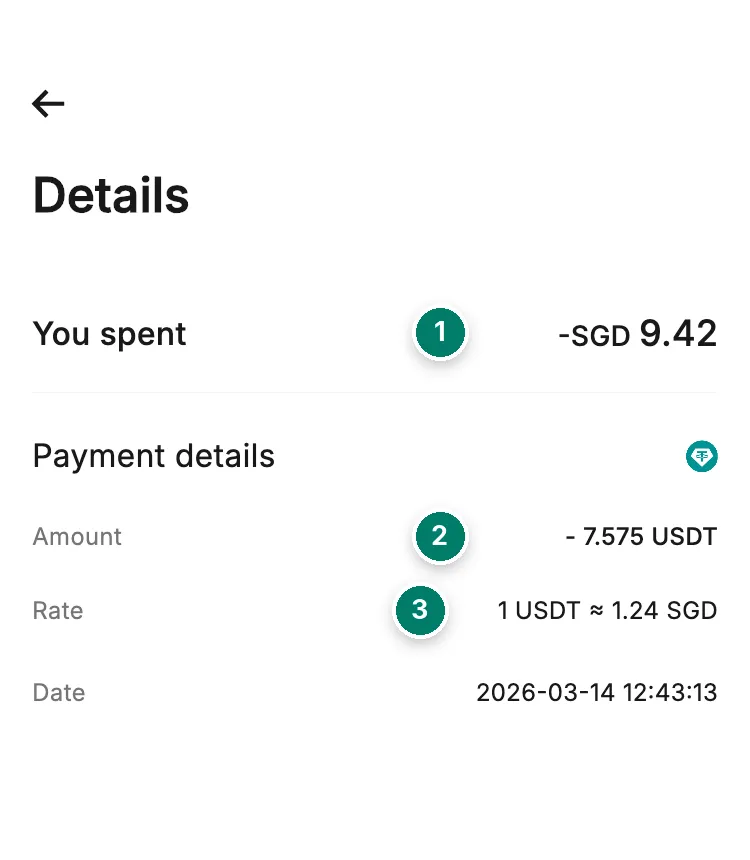
- What the merchant charged, in its currency.
- What left your balance, in crypto.
- The rate applied to this payment.
“Declined, but there’s no record in the app”
If the merchant stops a payment on its side, the request never reaches RedotPay, so nothing appears in your history. Only the merchant’s support can tell you why. As long as your card is active, not frozen or temporarily locked, it works elsewhere. For the checks on RedotPay’s side, see why was my card declined?
“I was charged for a declined transaction”
It depends on what the status really says.
- Declined: nothing was deducted. Check the line in your history.
- Authorized, for a payment that failed: the amount is held, and it’s usually refunded within 2 to 5 days without you doing anything.
The only money a decline can cost is the decline fee: after 3 declined payments per card in a month, 0.50 USD each. Subscriptions that retry a frozen or empty card use those up quickly.
Statements and billing address
Export a statement. Card → … next to Transactions → tap the last four digits of the card to choose a card → the download icon in the top-right → choose the period → Export. The statement is emailed to you. To open it, enter the last six digits of your phone number.
Change the billing address. Card → Settings → Change billing address → enter the new address → Save. Use this address, exactly as written, when a checkout asks for one. See paying online.