In the app: profile icon → Security → Manage account → Delete account, tick the boxes and tap Confirm deletion. The account is deleted 15 days later, unless you log in again, which cancels the request. Deletion cancels your cards, erases your transaction history, abandons any balance left and can’t be undone, and the same identity can never open another RedotPay account. Empty the account first, and consider disabling it instead.
Delete or disable?
| Disable | Delete | |
|---|---|---|
| Reversible | Yes: Enable account plus a face scan | Only by logging in within 15 days |
| Your cards | Kept | Cancelled for good |
| Your balance | Kept | Abandoned |
| Transaction history | Kept | Erased |
| Open a new account later | Not needed | Impossible with the same identity |
| Use it for | A break, or a security scare | Leaving RedotPay for good |
If you suspect someone else has access to your account, disabling it stops the damage while you secure it with RedotPay’s help; deleting it would also delete the evidence.
Before you delete
- Cancel subscriptions with each merchant. RedotPay can’t cancel them for you.
- Wait for pending payments and refunds. Anything still Authorized, and any refund a merchant has promised, must arrive first: RedotPay can’t credit a refund to a deleted account. See refunds that haven’t arrived.
- Download your statements. Deletion erases your transaction history. In the app: Card → … next to Transactions → download icon → choose the period → Export. The statement is emailed to you; its password is the last six digits of your phone number.
- Move your balance out. Withdraw crypto to a wallet or exchange, send it to a bank account, or sell it on P2P. Check the balance is zero, USDs included.
- Tell whoever pays you into your personal EUR, GBP or USD account, if you have one: RedotPay doesn’t say what happens to a transfer that lands after deletion. See IBAN and account details.
The steps
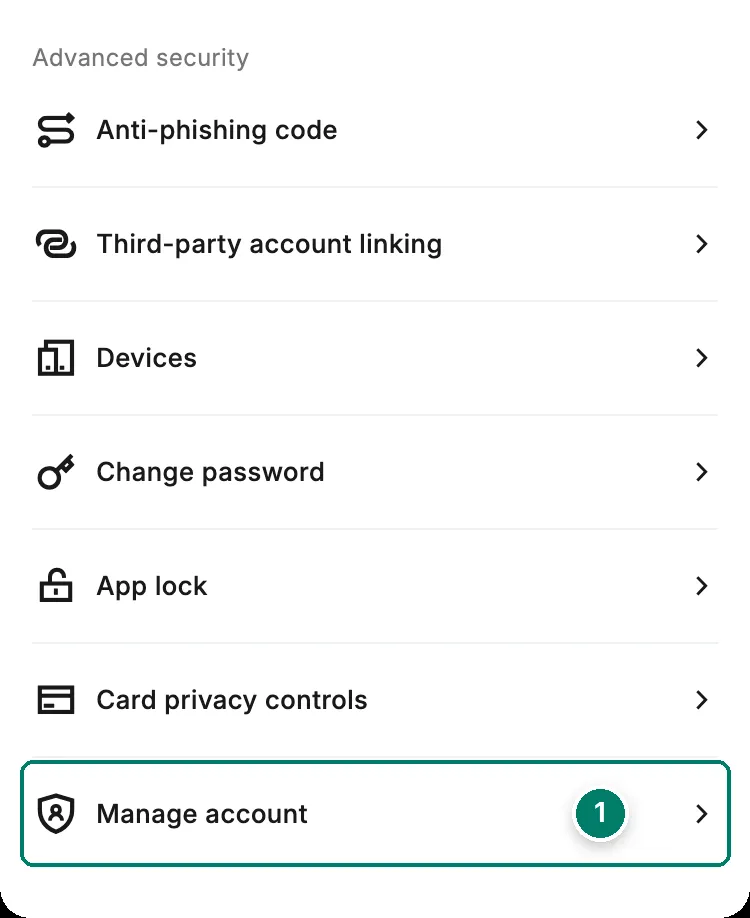
- Manage account is at the bottom of Security. Open Security from your profile icon at the top of the home screen.
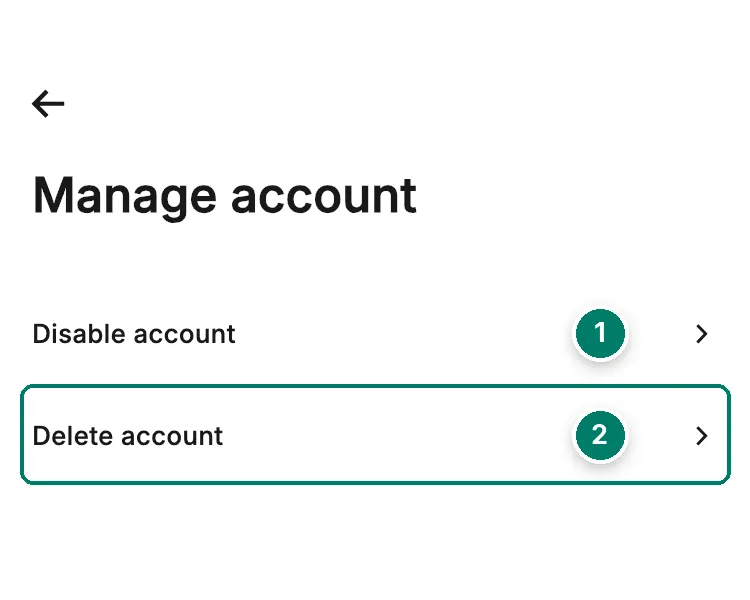
- Disable account: reversible. See below.
- Delete account: starts the 15-day countdown.
- Tap your profile icon at the top of the home screen, then Security.
- Scroll to the bottom and tap Manage account.
- Tap Delete account.
- Read the warnings and tick each box to accept them. RedotPay lists the four consequences below.
- Tap Confirm deletion. Don’t log in again.
- 1RequestSecurity → Manage account → Delete account
- 2Days 1 to 15Logging in cancels the request
- 3Day 15Account deleted. Permanent
We didn’t go past the Manage account screen on our own account, so the warning screen isn’t pictured; the wording above follows RedotPay’s guide.
What deletion does
According to RedotPay, deleting your account:
- cancels every linked card permanently;
- deletes all your transaction records;
- treats any remaining assets as voluntarily abandoned;
- ends any refund: nothing can be credited after deletion.
The 15 days
The wait is RedotPay’s standard policy and can’t be skipped or shortened. During it, the account works as usual. If you change your mind, log in: the request is cancelled at once and you carry on. If you want the account gone, don’t log in, not even to check.
You can’t come back with a new account
Each verified identity can be linked to one RedotPay account, and the link survives deletion. Verifying a new account with the same person fails whichever ID document you use. If there’s any chance you’ll want RedotPay again, for example because a physical card you paid 100 USD for is still useful, disable the account instead.
Disable the account instead
- To disable: profile icon → Security → Manage account → Disable account → Confirm, then the security check, for example your Google Authenticator code.
- To turn it back on: the same path → Enable account → Confirm, then a quick face scan.
RedotPay doesn’t say which features stop while an account is disabled; treat it as fully paused. Cards, balance and history are kept.
Only one card to remove?
Deleting a card doesn’t touch your balance or your account. The steps, the fee you lose and the replacement option are on delete a card. If the account is locked rather than something you want to close, see login problems; if you’re stuck, contact support with your UID.