Signing up takes about three minutes and needs only an email address. Identity verification comes next and is a separate step.
Before you start
- You must be 18 or older.
- You can’t sign up if you live in, or are a citizen of, a country RedotPay doesn’t serve. See who it’s for.
- Keep a phone number at hand. You’ll link it during verification, and each number can belong to only one account.
Step 1: Install the real app
Download it only from the official listings: App Store or Google Play. Fake copies of wallet apps exist, and they steal what you deposit.
Step 2: Sign up through a referral link, if you want one
A referral can only be set while you register. Once your account exists, it can’t be added or changed. If you’d like to support this site, open the app through our link before you sign up. It costs you nothing. A referral isn’t a promo code: the 20% card discount is entered later, when you order the card. See promo code.
Step 3: Register with your email
- Enter your email address and tap Next.
- Type the code RedotPay emails you.
- Create a password and tap Sign up.
You can also continue with Apple or Google instead of an email and password.
Step 4: The reward sheet
Right after sign-up, the app shows this.
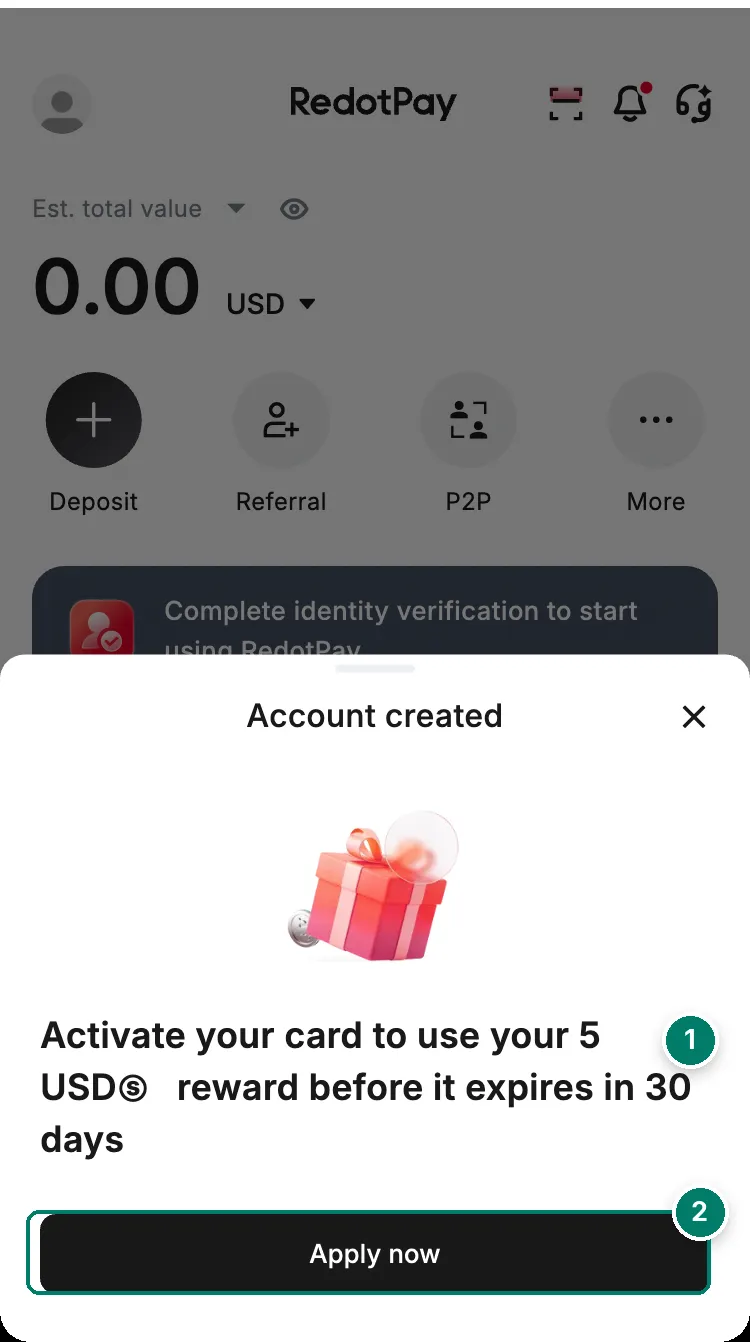
- The 5 USD reward. It lasts 30 days and only works once you have an active card. It can't pay the card fee.
- Apply now opens the card screen. You still have to verify your identity first.
Step 5: Verify before anything else
The home screen stays locked behind this banner until you pass identity verification.
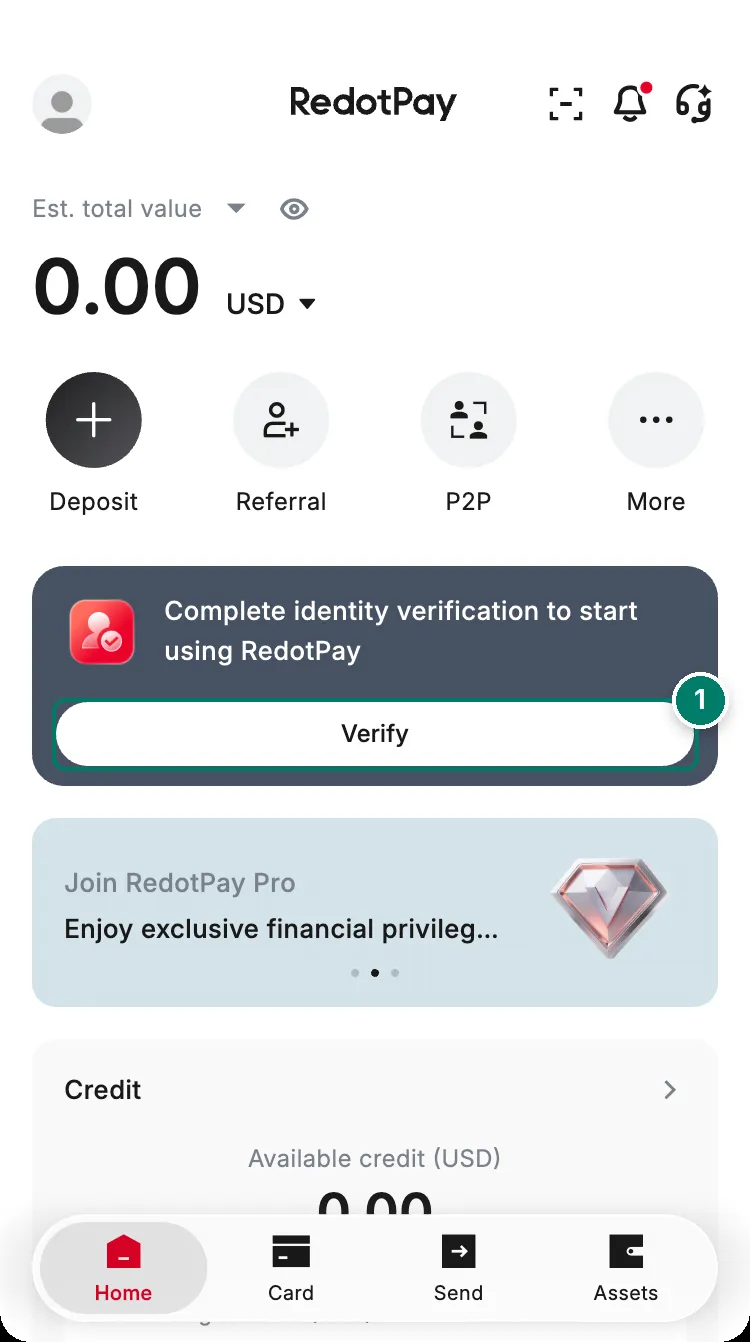
- Tap Verify to start. The next guide walks through every screen.
Next: verify your identity.
If sign-up goes wrong
- “Email already exists”: you already have an account with that email. Log in instead, or tap Forgot password. If you first signed up with Apple or Google, use that button again; an email and password won’t work for that account.
- The email code doesn’t arrive: check the address for typos and look in spam. Ask for a new code and use only the newest one. Update the app if it’s old.
- You want a second account: you can’t. RedotPay allows one verified account per person.
Other errors, including “Phone number already exists”, codes that never arrive and a locked account, are covered in can’t sign in or sign up.