From order to your door usually takes about 3 to 7 weeks: 10 to 15 business days to make the card, then the post. You don’t have to wait to use it: the card works online from the day you order.
- 1Order100 USD, can't be cancelled
- 2Pay online right awayWith the card details in the app
- 3Production10 to 15 business days
- 4DeliveryDHL 3 to 10 days, standard mail 5 to 30
- 5Activate and set a PINThen shops, contactless and ATMs
Order the card
Card → Physical card → Apply for card · 100 USD, enter your details, tap Use this address, then Pay. The fee comes from your balance. Once paid, the order can’t be cancelled or refunded.
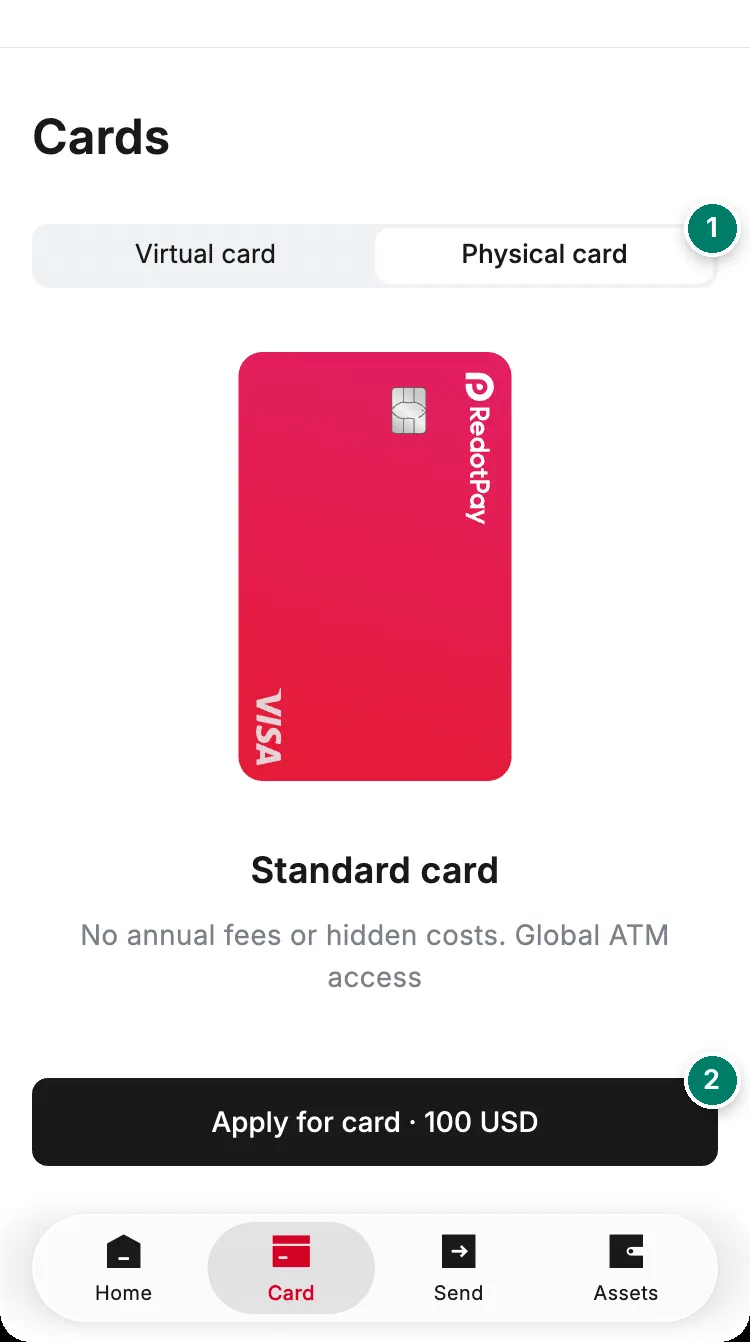
- The physical card tab.
- Apply for card: 100 USD, paid once.
Get the address right the first time:
- Write it in English letters. The city, state and postal code must belong to the country you choose.
- Include the full street name and house number, and a phone number the courier can reach.
- The name in your billing address is printed on the card and can’t be changed later.
Delivery
| Time | Tracking | Cost | |
|---|---|---|---|
| Production | 10 to 15 business days, longer around public holidays | In the app | Included |
| DHL Express | 3 to 10 days after shipping | dhl.com, with the tracking number | Depends on the country |
| Standard mail | 5 to 30 days after shipping, plus any customs or local delays | 17track | Free |
Production pauses if you freeze the card or report it lost before it ships.
- Change the address: only before the card ships. On the Card tab, open the physical card and tap Update now on the “Preparing your card” banner. After shipping it can’t be changed.
- “Your shipping address has an error”: tap Update now and add the missing street name or house number.
- Tracking hasn’t moved for a long time: contact support in the app.
- Parcel sent back: contact your local post office first, then RedotPay support.
- Customs fees: RedotPay doesn’t say who pays import duties or taxes. If someone asks you to pay a “customs fee” through a link in an SMS or email, check with support in the app first; fake delivery messages are a common scam.
Activate the card
- Check that the last four digits on the card match the card in the app.
- Find the activation code near the bottom of the paper insert.
- Card → select the card → Activate now → enter the code.
Activation unlocks in-store payments, contactless and ATMs. Don’t share the code with anyone.
Set, change or reset your PIN
Card → Settings → Change card PIN, then enter a 4- or 6-digit PIN twice and tap Confirm. Use the same steps if you’ve forgotten it: you set a new one without needing the old one. Avoid sequences and repeated digits such as 1234 or 1111. Virtual cards have no PIN.
Lost, stolen or damaged
- Freeze it immediately: Card → Freeze. Your other cards keep working.
- RedotPay’s help centre has no replacement process or fee for a physical card. As far as it shows, the way to get another one is to order a new physical card, which costs 100 USD again. Ask support before you do.
- Cards are valid for 3 years from issue.