There are three ways to move money out of RedotPay. Pick the one that matches where the money is going.
| Where it’s going | Use | Cost |
|---|---|---|
| An exchange or your own wallet | Withdraw on-chain | A network fee, shown before you confirm |
| Another RedotPay user | Send to a RedotPay user | Free and instant |
| A bank account, in local currency | Send as an international transfer, or sell on P2P | Shown before you send |
Open the coin under Assets to see all three.
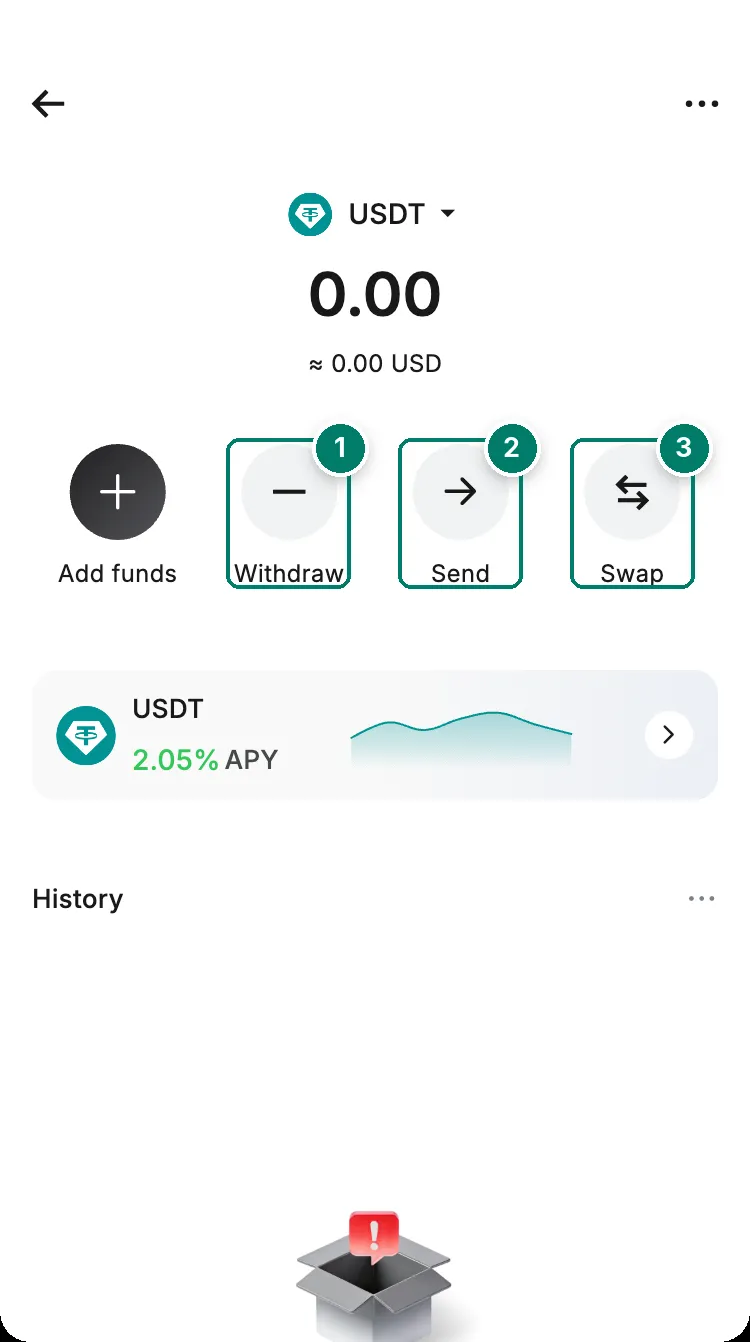
- Withdraw: send the coin to another wallet or exchange over a blockchain network.
- Send: to another RedotPay user, or to a bank account as local currency.
- Swap: change one coin for another inside RedotPay. The help centre doesn't explain its fees.
Withdraw to an exchange or wallet
- 1At the destinationCopy the deposit address for USDT on TRC20, for example
- 2In RedotPayWithdraw → Withdraw on-chain → the same coin and network
- 3Paste and checkThe minimum and the network fee appear on screen
- 4ConfirmComplete the security verification
- 5CompletedTap the TxID to follow it on the blockchain
- At the exchange or wallet you’re sending to, open its deposit page for the coin, choose a network and copy the address.
- In RedotPay, tap More → Withdraw → Withdraw on-chain, as RedotPay’s guide describes. The Withdraw button on each coin’s page is another way in.
- Choose the same coin and the same network as the destination, for example USDT on TRC20 on both sides.
- Paste the address and enter the amount. Each coin and network has its own minimum, shown on screen. A smaller amount won’t go through.
- Make sure your balance also covers the network fee, then tap Withdraw and complete the verification.
Memos and tags
Some exchanges show a memo or tag next to the address, usually for XRP and a few other coins. RedotPay’s help centre doesn’t say how its withdrawals handle them. If the destination requires a memo and you can’t enter one in RedotPay, don’t send. Choose a coin and network that needs no memo, such as USDT on TRC20.
How long it takes
RedotPay processes withdrawals before they go on-chain:
| When you withdraw (UTC+8) | Processing |
|---|---|
| Monday to Friday, 9:30 to 18:30 | 1 to 2 hours |
| Evenings, weekends and public holidays | Up to 24 hours |
Then the blockchain needs its confirmations. Follow the status under More → Withdraw → the list icon at the top right:
| Status | What it means |
|---|---|
| Pending review | A security check, usually under 2 hours and at most 24 |
| Wallet processing | Being sent on the blockchain |
| Completed | Sent. Tap the TxID to see it on a block explorer |
A withdrawal straight after a deposit, with no clear reason, is one of the patterns RedotPay’s screening flags. See money held for review.
The 24-hour pause after security changes
After you reset your password or change your email or phone number, RedotPay pauses withdrawals, transfers to other users and currency conversions for 24 hours, and caps card spending at 1,000 USD. Changing Google Authenticator also lowers the card limit to 1,000 USD for 24 hours. Plan security changes for a day when you don’t need to move money.
Things that block a withdrawal
- HTX: RedotPay doesn’t allow deposits or withdrawals to or from addresses linked to the HTX exchange. Such transfers may be held. Don’t resubmit; wait or contact support.
- Network maintenance: RedotPay sometimes suspends a network, for example during an Ethereum upgrade. The app shows it.
- USDs: RedotPay’s own dollar balance can’t be withdrawn to another wallet. Reward USDs can only be spent.
Withdrawal hasn’t arrived
Work through these in order. The list under More → Withdraw → the list icon tells you which case you’re in.
- Nothing in the list. The withdrawal was never submitted. The usual reasons: the amount was under the minimum for that coin and network (it’s shown on the withdrawal screen), or the balance didn’t cover the amount plus the network fee. Enter an amount at or above the minimum and try again.
- Pending review. RedotPay’s security check, usually under 2 hours and at most 24. Nothing to do but wait; a withdrawal straight after a deposit is more likely to be looked at.
- Pending right after a security change. Withdrawals are paused for 24 hours after a password reset or an email or phone change, as above. They resume on their own.
- Wallet processing. The check is done and the transfer is going on-chain; a busy network takes longer. Outside RedotPay’s processing hours (weekday evenings UTC+8, weekends, public holidays) allow up to 24 hours.
- Completed, but the destination shows nothing. RedotPay has sent it. Tap the TxID in the transaction details and look it up on a block explorer. If the explorer shows the transaction confirmed, the money is at the address: the receiving exchange may need more confirmations than the first one, or may credit deposits by hand. Ask the destination, with the TxID.
When to contact support: Pending review has lasted more than 24 hours with no security change on your side, or the status is Completed but the explorer can’t find the TxID. Give the TxID, the coin, the network, the address and the amount. See contact support. RedotPay has no recovery process for a withdrawal sent to a wrong address or network.
Send to another RedotPay user: free
Tap Send, enter the person’s email, phone number or UID, the amount, then Send and Confirm. It’s free and usually instant. Both of you must be verified, and a transfer can’t be reversed, so check the recipient.
| Coin | Most per transfer | Most per day |
|---|---|---|
| USDT, USDC | 2,000 | 10,000 |
| USDs | 2,000 | 10,000 |
| ETH | 1 | 5 |
| BTC | 0.1 | 0.5 |
Cash out to a bank account
The Send tab also turns crypto into local currency and pays it to a bank account or e-wallet.
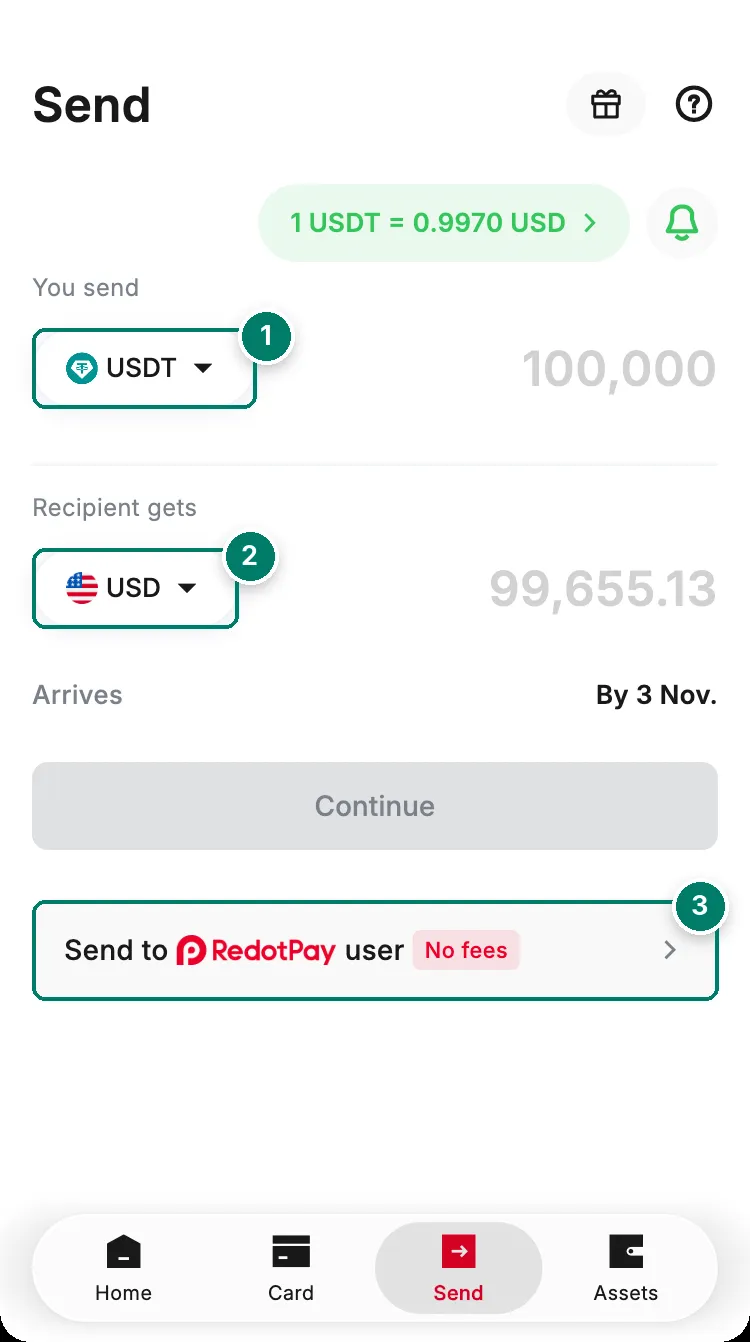
- The coin you send. Any coin except USDs.
- The currency the recipient gets. The fee, rate and arrival date appear before you send.
- Send to a RedotPay user instead: no fees.
- The account must be a personal account, and you can’t pay on behalf of a business or someone else. There’s no memo or reference field.
- The rate is locked when you tap Confirm, and a processed transfer can’t be cancelled.
- If the bank rejects the transfer, the money returns to your RedotPay balance. If you typed a valid account that isn’t yours, RedotPay can’t reverse it; contact that bank.
- USD sent over SWIFT can lose intermediary bank fees on the way.
You can also sell USDT on P2P for local currency. Release the crypto only after the money is in your bank, checked in your own banking app. See P2P.