A deposit in a coin or on a network that RedotPay doesn’t accept for that address is not credited. Sometimes it can be recovered, for a fee, in 7 to 15 business days. It isn’t guaranteed.
First, check which case you’re in
| What happened | Credited? | What to do |
|---|---|---|
| Right coin and network, but below the minimum | No, until you top it up | Send another deposit of the same coin on the same network that reaches the minimum. Both are credited together, free |
| Wrong network, for example USDT sent on Ethereum to a Tron address | No | File a recovery request |
| Wrong coin, for example EURC sent to a USDC address | No | File a recovery request |
| Network supported but the deposit is still missing | Not yet | See money held for review |
How to file a recovery request
- Open Deposit and choose the coin you sent.
- Tap the ? icon in the top right corner to open the asset recovery form.
- Enter the transaction ID (TxID or hash) and the network you actually used.
- Pay the handling fee.
- Enter a refund address and tap Submit.
What it costs
| Amount deposited | Recovery fee |
|---|---|
| 10 to 100 USD | 10 USD |
| 100 to 5,000 USD | 10% of the deposit |
| Over 5,000 USD | 500 USD |
| Complex cases | Up to 20% |
The official table starts at 10 USD and doesn’t say what happens to smaller amounts. For a mistaken deposit of a few dollars, the fee can be more than the money.
How to never need this
Before every deposit, the app warns you twice. Both warnings matter.
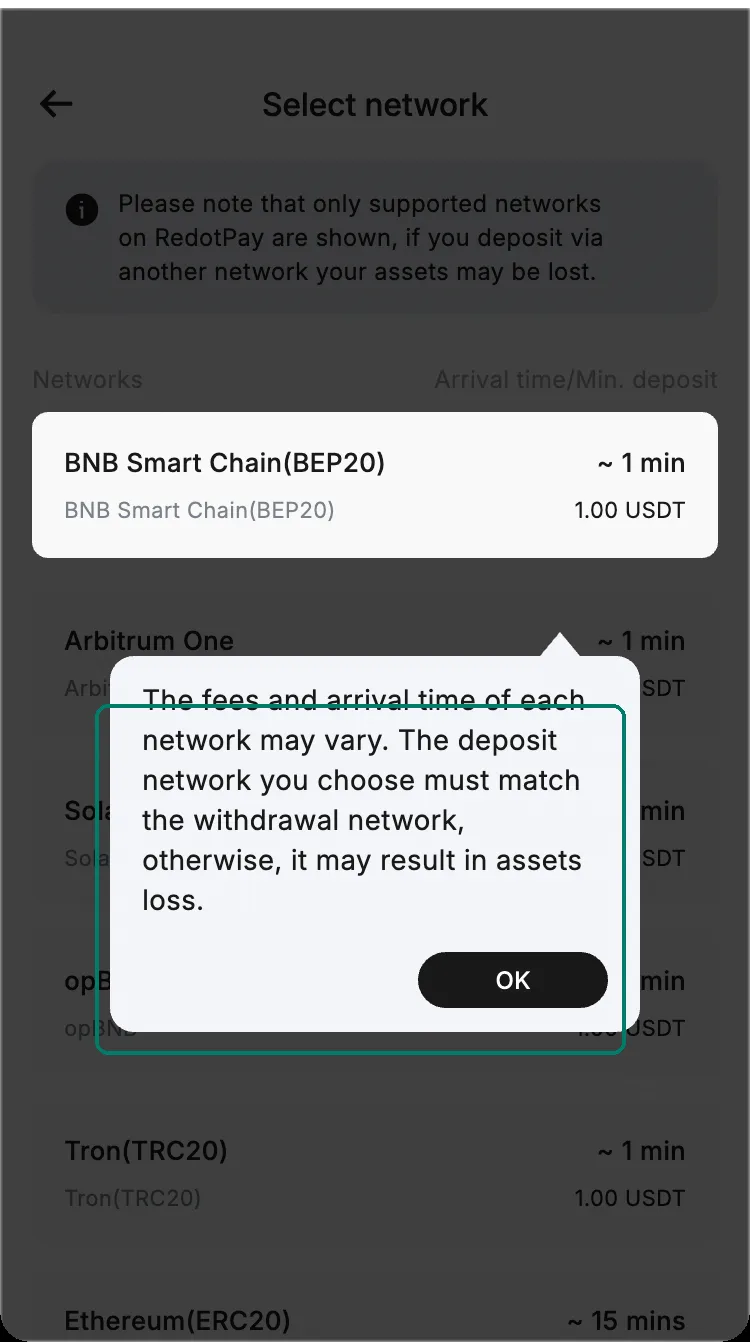
- Choose the coin first, then the network, then copy the address. Each coin has its own address.
- Send a small test amount the first time.
- Full walkthrough: how to deposit USDT.